



Key Takeaways
- Payroll depends on clean HR data + accurate time tracking.
- Integration reduces errors, speeds processing, and ensures compliance.
- Benefits: accurate paychecks, faster runs, stronger audits, better analytics, cleaner tax workflows.
- Integration options: native (simple), API (flexible), middleware (multi‑system).
- Success requires clear data ownership, mapped pay rules, secure access, and monitoring.
- Pay statements must be compliant, clear, and consistent.
Payroll today isn’t just about “cutting checks.” It’s the heartbeat of how employees get paid correctly and how companies stay compliant.
The catch? Payroll only works smoothly when HR data, time tracking, and tax rules all talk to each other. Miss a pay rate change, forget an overtime rule, or skip a deduction update, and suddenly you’ve got frustrated employees and compliance headaches. That’s why integrating payroll with HR and time systems isn’t just a tech upgrade—it’s a way to make pay accurate, auditable, and scalable without building a fragile stack.
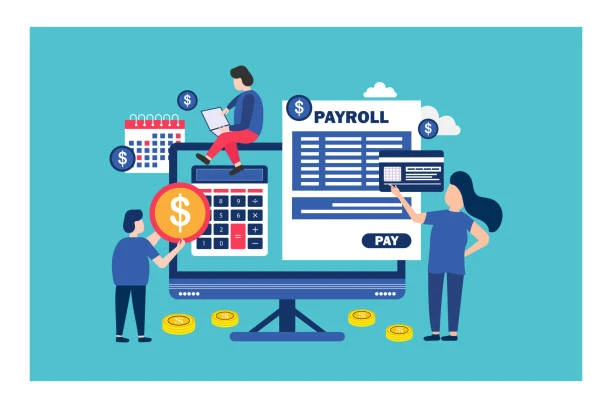
Why integrating payroll, HR, and time tracking matters?
Payroll relies on two inputs:
- Who someone is and what they’re eligible for (HR): name/legal details, address, tax setup, job/department, pay type, benefits, PTO policies, deductions.
- What they worked and what they earned (time tracking): hours worked, overtime, breaks, shift differentials, PTO taken, attendance exceptions.
Under U.S. wage-and-hour rules, employers generally need to maintain records of hours worked and wages paid. That recordkeeping expectation is a major reason integrations matter: fewer manual edits = fewer errors and cleaner audit trails.
Real-world example: If HR updates an employee’s pay rate or eligibility for a benefit deduction, but payroll doesn’t receive that update before processing, the next paycheck (and the pay statement) can be wrong and fixing it often creates extra work and employee distrust.
Key benefits of payroll integration
1) More accurate paychecks (and fewer adjustments)
Integrated systems automatically sync the inputs payroll depends on: hours, overtime, PTO, deductions, and job changes, reducing manual data entry. Employers also have specific overtime obligations for non-exempt employees, so getting time data right is foundational.
When time tracking approvals flow directly into payroll, HR/payroll teams spend less time chasing timesheets, re-keying data, and fixing mismatched records.
3) Stronger compliance and audit readiness
Integrated systems help preserve consistent records of hours and pay (a common audit request). Federal recordkeeping requirements for wage/hour data are detailed, so consistent data capture and retention matter.
4) Better workforce and labor-cost analytics
When you combine HR + time + payroll data, you can see patterns like overtime spikes by department, labor cost per project/location, and turnover vs. scheduling practices, useful for planning and budgeting.
5) Cleaner payroll tax and withholding workflows
Payroll integrations don’t replace tax compliance, but they reduce upstream data errors that can affect withholding and reporting. The IRS guidance for employers emphasizes correct withholding and payroll tax responsibilities.
Integration options (choose the right architecture)
Option A: Native integrations (best for simplicity)
Many payroll providers have built-in connectors to common HRIS and time tools. Pros: faster setup, fewer moving parts. Cons: limited customization.
Option B: API-based integration (best for flexibility)
If your tools offer APIs, you can build a more tailored data flow. Pros: custom mapping, more control. Cons: requires technical ownership and monitoring.
Option C: Middleware/iPaaS (best for multi-system stacks)
Tech tools like iPaaS platforms can connect multiple apps and handle transformations. Pros: easier than custom dev. Cons: costs + another layer to maintain.
How to integrate payroll with HR and time tracking? Step-by-step guide
Step 1: Audit your data sources (before touching settings)
List where each “source of truth” should live:
- HRIS: legal name, address, tax profile, job/department, comp type, benefits eligibility
- Time tool: hours, overtime, breaks, PTO usage, approvals
- Payroll: earnings, deductions, taxes, pay statements, filings, general ledger outputs
Make sure each field has one owner. Integrations fail most often because two systems both “own” the same field.
Step 2: Decide what must sync and how often
Common sync objects:
- Employee profile + employment status (hire/termination)
- Pay rates and earning codes (hourly/salary, differentials, bonuses)
- Benefit and deduction elections
- PTO balances and usage
- Approved timecards and overtime totals
Tip: Sync HR → payroll changes daily, and sync time → payroll at a minimum each pay period (or more frequently if you run off-cycle payrolls).
Step 3: Map pay rules (this is where accuracy is won or lost)
Confirm how the time tool calculates:
- overtime rules (e.g., >40 hours/week for non-exempt, unless additional state rules apply)
- rounding rules
- unpaid breaks vs. paid breaks
- shift differentials
- PTO accrual logic
Federal overtime basics are clear, but your system setup must match how your workforce actually works.
Step 4: Configure approvals and exception handling
Decide:
- Who approves time (manager, payroll, both)?
- What happens when a timecard is late?
- How are they submitted and logged?
The goal is a clean audit trail: who changed what, when, and why.
Step 5: Test with real scenarios, not just “happy paths”
Run parallel payroll tests that include:
- a new hire mid-period
- PTO taken
- overtime + differentials
- benefit deductions starting/stopping
- a termination with a final paycheck scenario
- a retro pay-rate change
Verify that:
- Hours worked and wages paid match expectations (recordkeeping)
- Overtime calculations reflect policy and legal requirements
- Pay statements reflect correct earnings and deductions
Recordkeeping is not optional; your test plan should mirror that reality.
Step 6: Secure the integration (privacy + access controls)
Payroll/HR data is sensitive. Require:
- role-based access control (RBAC)
- least-privilege permissions for integrations
- encryption in transit and at rest
- audit logs for data changes
Step 7: Go live with monitoring
Set up alerts for:
- sync failures
- unmapped earning/deduction codes
- missing employee IDs
- timecards not approved by the cutoff
Pay statements and pay stub generation (do this the compliant way)
A reliable payroll system should produce clear, consistent pay statements showing earnings and deductions. However, pay statement requirements vary by state; some states mandate specific information, formats, or delivery rules.
Best practices for paystubs/pay statements
A strong pay statement template typically includes:
- pay period dates
- gross pay (and earnings breakdown)
- taxes and other deductions
- net pay
- year-to-date (YTD) totals
- hours worked (especially for hourly/non-exempt roles), where applicable
If you use a paystub generator or pay statement module, treat it as part of the integration:
- Earnings codes should map cleanly from time tracking to payroll
- Deductions should map cleanly from HR benefits enrollment to payroll
- Any manual adjustment should be logged and visible for audit/reconciliation
Common integration mistakes (and how to avoid them)
- No single source of truth: Two systems “own” job title, rate, or department → mismatches.
- Poor earnings code mapping: Time tracking sends “OT” but payroll expects “Overtime 1.5” → failures.
- Ignoring edge cases: Retro pay, off-cycle checks, mid-period changes.
- Weak cutoff discipline: Approvals happen after payroll lock → last-minute manual changes.
- No monitoring: Sync fails silently until employees get underpaid.
Accurate pay starts with integration
When payroll, HR, and time tracking systems are connected, everything flows: employees get paid right the first time, compliance risks shrink, and finance leaders gain clearer insights into labor costs. Integration isn’t about adding complexity—it’s about removing friction. The payoff is fewer errors, faster processing, and stronger trust with your workforce. In short, smart payroll integration turns a back-office chore into a strategic advantage.
FAQs
Usually: HR first, then time tracking, then payroll, because HR is the system of record for employee status and eligibility.
They help reduce errors by keeping hours accurate and consistent, but you must still configure rules correctly and confirm they align with applicable requirements.
No requirements vary significantly. Always verify your state rules (and any local requirements) and make sure your pay statement output includes required fields.