


Ever stared at your Instagram bio or gaming username and thought, “This looks so boring… I need something cooler”?
Yes, we’ve all been there, even though it is a fact that boring text is a vibe killer.
This is exactly where Text to Font comes in, a simple, free, and surprisingly useful tool that turns plain text into stylish, eye‑catching fonts you can copy and paste anywhere.
I spent some time playing around with it, testing different styles, and comparing it with other popular font generators. Below is a full, honest review of how it works, what it offers, and whether it’s worth adding to your digital toolbox.
What Is Text to Font?
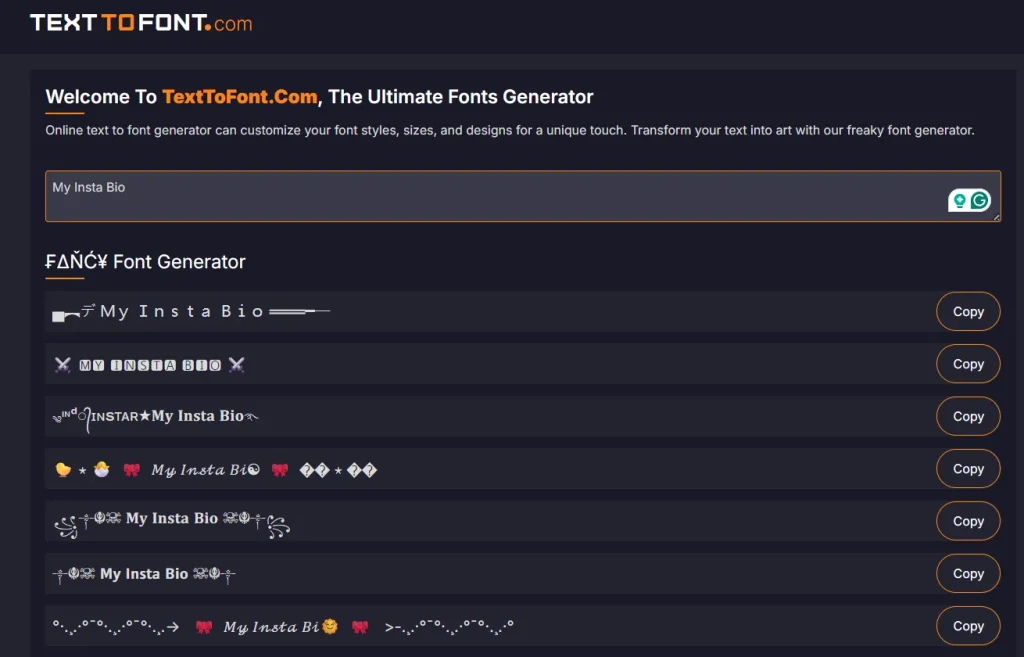
Text to Font is a free, web‑based tool that instantly transforms plain text into stylish, decorative, and eye‑catching font variations.
It is just like a magic typewriter. You type something — your name, a quote, a username, a caption — and instantly, the tool transforms it into dozens of unique and stylish font styles. No downloads, no sign‑ups, no complicated settings. Just type, scroll, and copy your favorite font.
It’s designed for anyone who wants to add personality to their text:
- Social media creators
- Gamers
- Bloggers
- Designers
- Students
- Or literally anyone who wants their text to stand out
The best part? It’s completely free and easy to use.
A Closer Look at the Features
Let’s break down what makes Text to Font so enjoyable and easy to use.
1. Tons of Font Styles to Explore
You get a wide variety of styles, including:
- Fancy and decorative fonts
- Cursive and handwritten styles
- Bold, aesthetic, and minimalist fonts
- Gaming‑inspired glitch and techno fonts
- Cute, bubbly, and playful fonts
It’s like having a mini font library at your fingertips — without needing to install anything.
2. Instant Results (No Waiting Around)
As soon as you type, the fonts appear instantly. No loading bars. No “processing…” messages. It’s fast, smooth, and responsive.
3. Zero Clutter
This is honestly refreshing. Many font generators are overloaded with annoying pop‑ups, and distractions. Text to Font keeps things clean and minimal.
4. Copy‑Paste Simplicity
See a font you like? Click it. Boom — copied.
Paste it anywhere:
- Instagram bio
- TikTok captions
- WhatsApp status
- YouTube channel name
- Gaming usernames
- Blog headings
It works across almost every platform that supports Unicode characters.
5. No Learning Curve
Even if you’re not tech‑savvy, you’ll figure it out in seconds. The interface is simple, intuitive, and beginner‑friendly.
My Hands‑On Experience
Using Text to Font feels almost too easy. You land on the site, type your text, and suddenly you’re scrolling through dozens of creative variations. It’s fun, fast, and satisfying — especially when you’re experimenting with names or short phrases.
I tried it on:
- YouTube
- A couple of gaming platforms
Most fonts worked perfectly. A few didn’t display correctly on older apps, but that’s normal with Unicode‑based fonts.
Overall, the experience is smooth and enjoyable.
Who Will Love This Tool?
Text to Font is perfect for:
- Social media creators who want aesthetic bios and captions
- Gamers who want unique usernames
- Bloggers who want stylish headings
- Designers looking for quick typography inspiration
- Students who want fun text for projects
- Anyone who wants to stand out online
If you enjoy customizing your digital identity, this tool is a gem.
Benefits That Make It Worth Using
- Makes your text visually appealing: Stylish fonts instantly grab attention.
- Saves time: No need to download fonts or open design software.
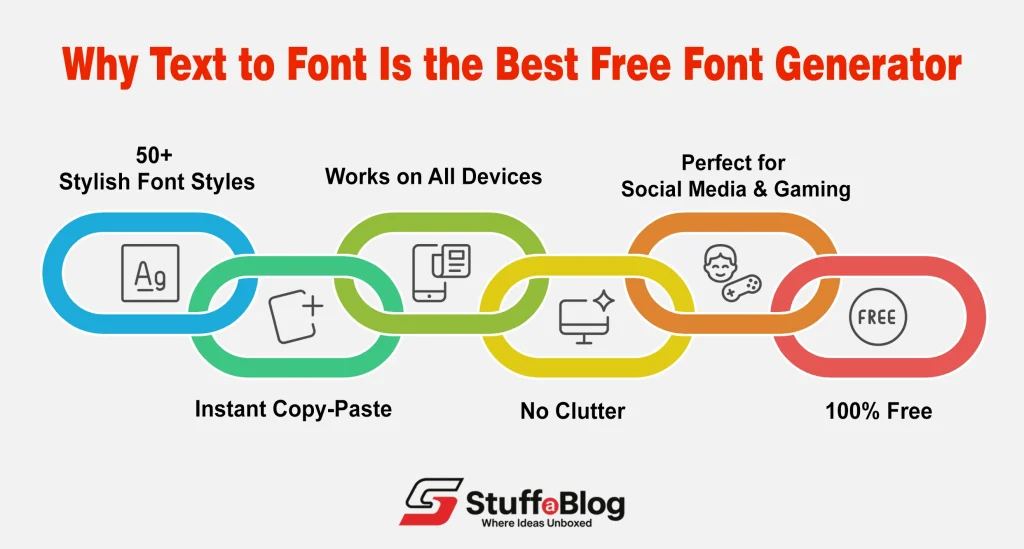
- Works on all devices: Windows, Mac, Android, iPhone — it’s all good.
- 100% free: No subscriptions, no hidden fees.
A Few Limitations to Keep in Mind
No tool is perfect, and Text to Font has a few limitations:
- Some fonts may not display correctly on older apps
- You can’t customize size, color, or spacing
- It doesn’t offer downloadable font files (.ttf or .otf)
- Not suitable for professional graphic design projects
But for everyday digital use, these limitations are minor.
How Does Text to Font Compare to Other Tools?
Here’s a quick comparison of Text to Font with other font generator tools:
| Feature | Text to Font | Lingojam | CoolSymbol | FancyText |
| Free to use | Yes | Yes | Yes | Yes |
| Clean UI | Yes | No | No | Yes |
| No ads | No | No | No | No |
| Instant font preview | Yes | Yes | Yes | Yes |
| Copy‑paste fonts | Yes | Yes | Yes | Yes |
| Downloadable fonts | No | No | No | No |
Text to Font stands out for its clean interface, speed, and zero clutter — a rare combination.
Final Verdict: Should You Use Text to Font?
Absolutely!
If you want a simple, fast, and free way to make your text look stylish, Text to Font is one of the best tools out there. It’s perfect for social media, gaming, casual design, and everyday digital communication. And after testing it myself, I can confidently say it’s one of the easiest ways to upgrade your online presence.
It’s not meant for professional typography work, but for everything else, it’s a fun and useful tool you’ll probably end up bookmarking.