



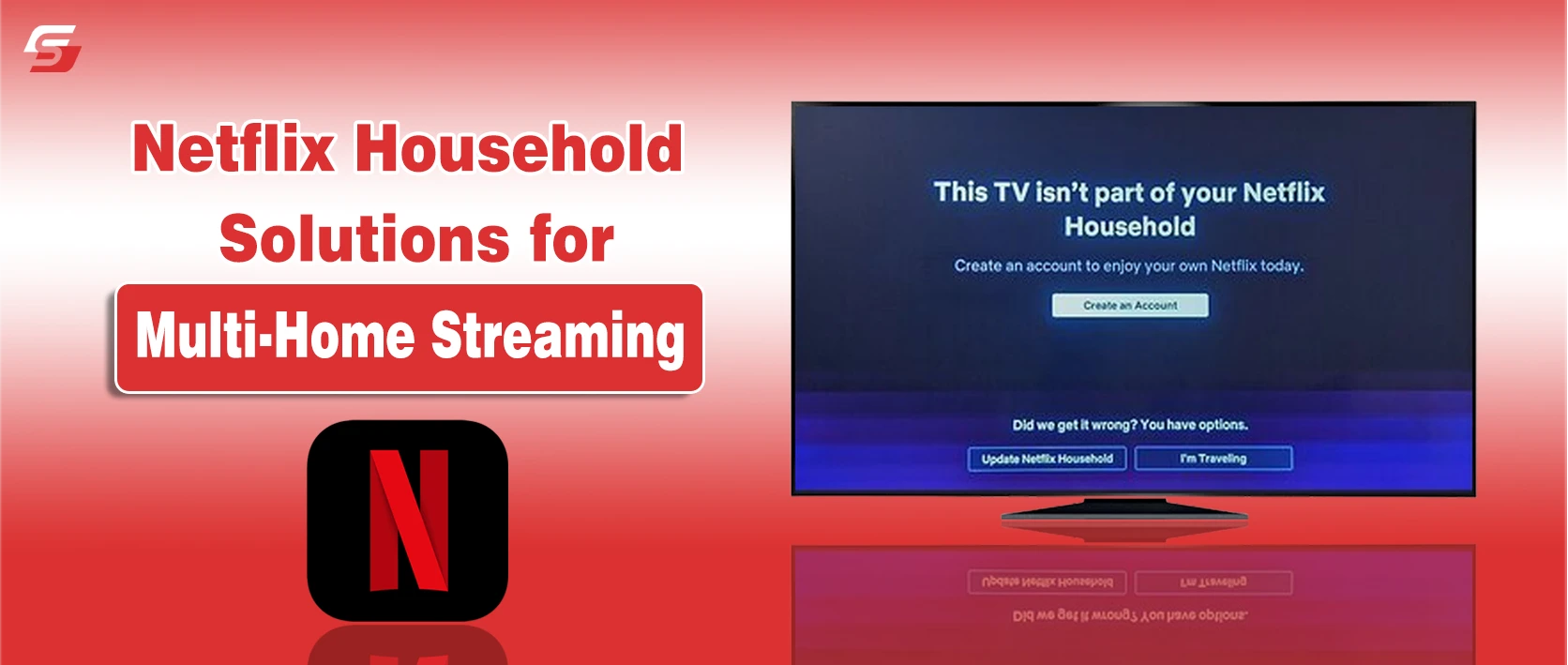
I first ran into the Netflix household problem when I tried to watch a show on another device outside my home Wi‑Fi. Instead of the movie starting, a verification message appeared asking me to confirm the household.
It was confusing at first because the account worked perfectly on my TV at home but suddenly required extra steps on another network. If you have experienced the same issue, you are not alone.
This guide for using Netflix explains how the Netflix household system works and shows legitimate ways to manage your account across two different locations, including Extra Member access, household updates, mobile streaming, and offline downloads.
What Is a Netflix Household and How It Works
A Netflix household is the primary location where a Netflix account is used on a TV connected to a specific Wi-Fi network. This network becomes the account’s authorized home location, and devices connected to the same network are recognized as part of the household.
The household system limits account sharing across different homes while allowing multiple profiles, watch history, and recommendations to remain personalized within the same account.
If someone signs in from a different network or location, Netflix may request verification to confirm that the device belongs to the account owner. Some users prefer streaming Netflix on Discord for shared viewing experiences with friends outside their primary household.
How Netflix Verifies Household Devices?
Netflix verifies devices using IP address, device ID, and Wi-Fi network activity. Instead of tracking exact physical locations, the system looks for consistent connections to the household network.
Verification works through these signals:
- IP address detection: Netflix checks the network used to access the account.
- Primary TV anchor: The main TV defines the official household network.
- Periodic network connection: Phones, tablets, and laptops must occasionally connect to the same Wi-Fi to remain verified.
- Security verification: If a device signs in from a new network, Netflix may send a verification code to the account owner.
This process helps Netflix maintain account security while still allowing temporary access during travel or mobile streaming.
Why Netflix Enforces Household Limits
The household verification system was introduced by Netflix to manage account sharing and maintain a sustainable subscription model. Previously, many accounts were shared across multiple homes without restrictions.
The new system links a primary household to a specific Wi-Fi network and verifies devices periodically to confirm authorized access.
Legitimate Ways to Access Netflix From Multiple Locations
Netflix provides built-in options that allow subscribers to access their accounts from different locations while staying compliant with its account-sharing policy. These features help families, partners, or travelers maintain access without triggering repeated household verification.
Among the available solutions, the Extra Member feature is the most practical for users who want to share a subscription with someone living in another home.
Method 1 Use Netflix’s Extra Member Feature
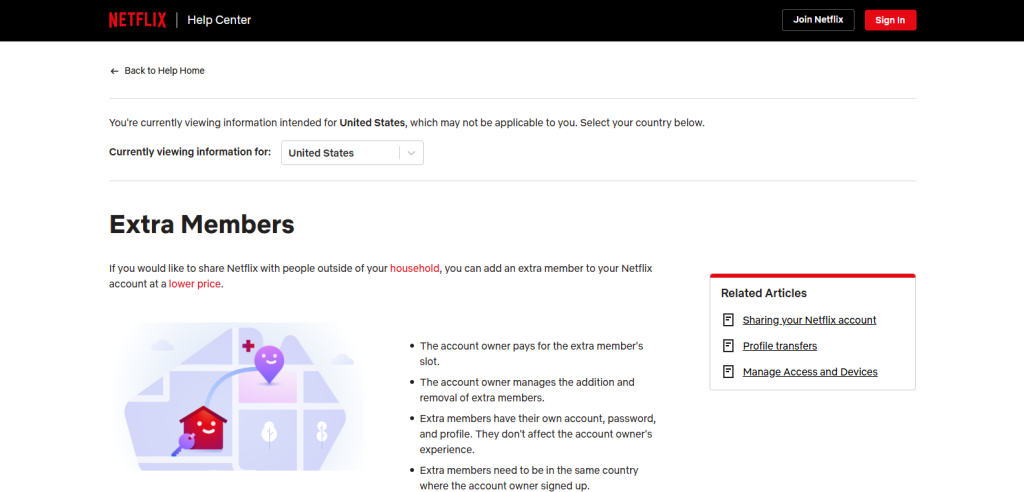
The Extra Member feature allows an account holder to add another user who lives outside the primary household. Instead of informal password sharing, the added user receives a separate login while the main account owner manages billing.
This feature was introduced by Netflix as part of its updated account-sharing policy.
How the Netflix Extra Member Feature Works and Who Can Use It
The primary account holder can add an extra member by paying a small additional monthly fee. Each added member receives:
- a separate login and profile
- personalized watch history and recommendations
- access from a different household location
The feature is available only on Standard and Premium plans, which support multiple simultaneous streams.
Key limits of the Extra Member feature:
- Standard plan: 1 extra member
- Premium plan: up to 2 extra members
Streaming quality for the extra member depends on the main subscription plan.
Pros & Cons of Netflix’s Extra Member Feature
The table below summarizes the main advantages and limitations of using the Extra Member feature for multi-location streaming:
| Aspect | Advantages (Pros) Extra Member Feature | Limitations (Cons) Extra Member Feature |
| Legality & Compliance | Fully compliant with Netflix’s official terms of service | Not available in all countries |
| User Experience | Personalized profiles, watch history, and recommendations | Requires a linked primary account |
| Security | Reduces risk of unauthorized password use | Extra members cannot manage billing settings |
| Cost Efficiency | Cheaper than buying a full separate subscription | Adds a small monthly fee per member |
| Streaming Quality | Supports HD or Ultra HD based on main plan | Limited by parent plan’s screen allowance |
Method 2 Update or Reset Your Netflix Household Location
If you move to a new home, change your Wi-Fi network, or replace your TV, Netflix may no longer recognize your existing household. Updating the household location allows the account to register the new network as the primary streaming location. In some cases, it also helps to log out of Netflix on your TV and sign in again so the device reconnects to the updated household.
This method restores normal access and reduces repeated verification requests when devices connect from the updated home network. Occasionally, devices may display messages that require resolving Netflix error code M7361 to maintain access across multiple devices.
How to update Netflix Household
The reset must be completed from the primary TV or streaming device connected to the new home Wi-Fi network.
Steps
- Open Netflix on your TV or streaming device.
- Ensure the device is connected to your current home Wi-Fi.
- Go to Get Help or Settings.
- Select Manage Netflix Household or Update Household.
- Confirm the update to register the new network.
- Reconnect other devices (phones, tablets, laptops) to the same Wi-Fi.
Once confirmed, Netflix registers the new network as the official household location.
Key points to remember:
- Only the primary account owner can update the household.
- Resetting the household does not affect billing, profiles, or subscription plans.
- The new location replaces the previous household immediately.
Pros & Cons of Updating or Resetting Your Netflix Household
The following table summarizes the benefits and drawbacks of resetting or updating the Netflix household location:
| Aspect | Advantages (Pros) | Limitations (Cons) |
| Account Management | Ensures devices remain authorized after moving or changing Wi-Fi | Must be repeated after major relocations |
| User Experience | Prevents verification errors and streaming interruptions | Requires access to the main TV for setup |
| Security | Keeps unauthorized devices from using your account | May sign out inactive or secondary devices |
| Flexibility | Supports users with new routers or home networks | Temporary re-verification may still occur during travel |
| Policy Compliance | Fully aligns with Netflix’s household policy | Does not allow shared use across unrelated homes |
Method 3 Watch Netflix on Mobile While Traveling
Netflix allows subscribers to watch content on smartphones and tablets even when they are away from their home Wi-Fi network. The mobile app verifies access through the user’s account login rather than the household network used by smart TVs.
This makes mobile streaming useful for travelers, commuters, or users who regularly access Netflix from different locations. For users with multiple devices, streaming Netflix on consoles like the Nintendo Switch requires proper account login and verification.
How To Watch Netflix Away From Home Using Mobile
The Netflix mobile app allows playback from any internet connection as long as the user signs in with a verified account.
Tips for uninterrupted viewing while traveling:
- Download content in advance: Save movies or shows using the Downloads feature before leaving home.
- Check regional availability: The Netflix catalog may change between countries due to licensing restrictions.
- Maintain account activity: Opening the app regularly helps avoid occasional verification prompts.
- Use trusted devices: Sign in from personal smartphones or tablets to reduce security checks.
This approach allows flexible viewing while staying within Netflix account policies.
Pros & Cons of Watching Netflix on Mobile While Traveling
The Netflix mobile experience offers several advantages and limitations depending on travel conditions and internet connectivity.
| Pros | Cons |
| Streaming flexibility from anywhere with internet access | Reduced video quality on slower mobile data |
| Ability to download shows and movies for offline viewing | Limited screen size compared to smart TVs |
| Independence from Netflix household restrictions | Region-based content availability may change |
| Easy access via Android and iOS apps | Potential data charges from mobile carriers |
Method 4 Use Netflix’s Download Feature for Offline Viewing
The download feature in Netflix allows users to save movies and TV shows directly to supported devices for offline viewing. This option is useful when traveling, experiencing unstable internet connections, or using limited mobile data.
Downloaded titles remain linked to the user’s account profile and can be watched without an active internet connection.
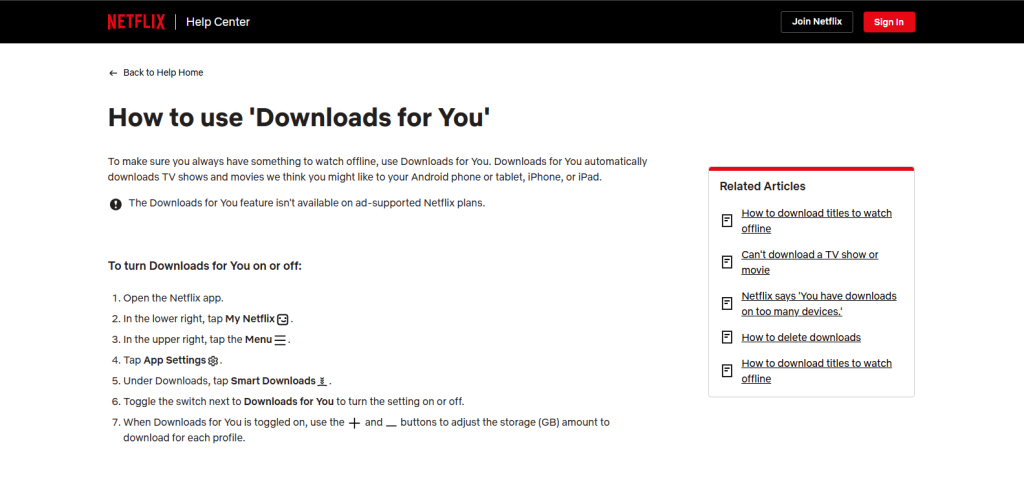
How Downloads Help During Travel or Wi-Fi Changes
When a title is downloaded, the app stores an encrypted video file on the device. The content stays connected to the user’s Netflix profile, ensuring secure playback and compliance with account policies.
Benefits of using downloads:
- Offline playback: Resume watching with saved progress and profile settings.
- Travel convenience: Watch shows on flights, trains, or remote locations without internet.
- Network flexibility: Avoid interruptions when Wi-Fi is unstable or unavailable.
- Lower data usage: Download content at home instead of streaming on mobile data.
Device requirements:
Netflix downloads are supported on:
- Android and iOS smartphones or tablets
- Windows devices using the Netflix app
- Devices with sufficient storage space for downloaded titles
Pros & Cons of Using Netflix Downloads
| Aspect | Advantages (Pros) | Limitations (Cons) |
| Accessibility | Watch Netflix anywhere without internet | Limited number of titles eligible for download |
| Household Compliance | Bypasses repeated Wi-Fi verification | Downloaded files expire after a few days if not refreshed |
| Data Management | Saves mobile data and bandwidth | Requires sufficient device storage |
| User Experience | Maintains profile-specific bookmarks and settings | Certain titles may not support subtitles or multiple audio options offline |
| Travel Convenience | Ideal for commuting, flights, and vacations | Cannot stream new content while offline |
Method 5 Try Alternative Streaming Platforms
Alternative streaming platforms provide users with additional options when Netflix household rules limit multi-location access. Platforms such as Disney+, Amazon Prime Video, and Hulu offer different subscription plans, device compatibility, and sharing features.
By exploring these services, users can legally stream content across multiple devices and locations without triggering Netflix verification restrictions.
These platforms maintain their own account security policies, device management, and geographic content licensing, ensuring legal and flexible access.
Disney+, Amazon Prime Video, Hulu Comparison
Each platform has distinct attributes regarding streaming quality, device limits, and subscription tiers.
| Platform | Subscription Plans | Simultaneous Streams | Device Compatibility | Key Features |
| Disney+ | Standard monthly/annual | Up to 4 devices | Smart TVs, smartphones, tablets, computers | Offline downloads, family profiles, content bundles with Hulu/ESPN+ |
| Amazon Prime Video | Included with Amazon Prime | Up to 3 devices | Smart TVs, Fire TV, mobile, web | Offline downloads, X-Ray feature, Prime benefits integration |
| Hulu | Ad-supported / Ad-free | 2 devices standard; 4 devices with Hulu + Live TV | Smart TVs, mobile, web, streaming sticks | Live TV option, multi-profile support, offline downloads (ad-free plan) |
This comparison helps subscribers evaluate which platform aligns with their device usage, household structure, and streaming requirements while offering flexibility beyond Netflix.
Final Talk on Managing Your Netflix Household Safely
Managing your Netflix household correctly ensures secure, uninterrupted streaming across all devices.
Subscribers can maintain access by using the
- Extra Member feature for multi-location use
- updating or resetting their household when moving or changing networks
- streaming on mobile devices while traveling
- downloading titles for offline viewing
- exploring alternative platforms like Disney+ and Amazon Prime Video.
Sticking to official features protects your profiles, preserves subscription integrity, and ensures a smooth, policy-compliant viewing experience.
FAQs About Netflix Household Solutions
You can stream on personal mobile devices or use offline downloads for uninterrupted viewing.
Reset your household on the primary TV or streaming device connected to your new Wi-Fi network to maintain access.
Yes, by using methods like the Extra Member feature, mobile streaming, or household location updates.
Yes, Netflix may detect inconsistent IPs and instant verification; this method is temporary and risky.
Offline downloads let you watch content anywhere without triggering household checks, but titles expire after a few days.